
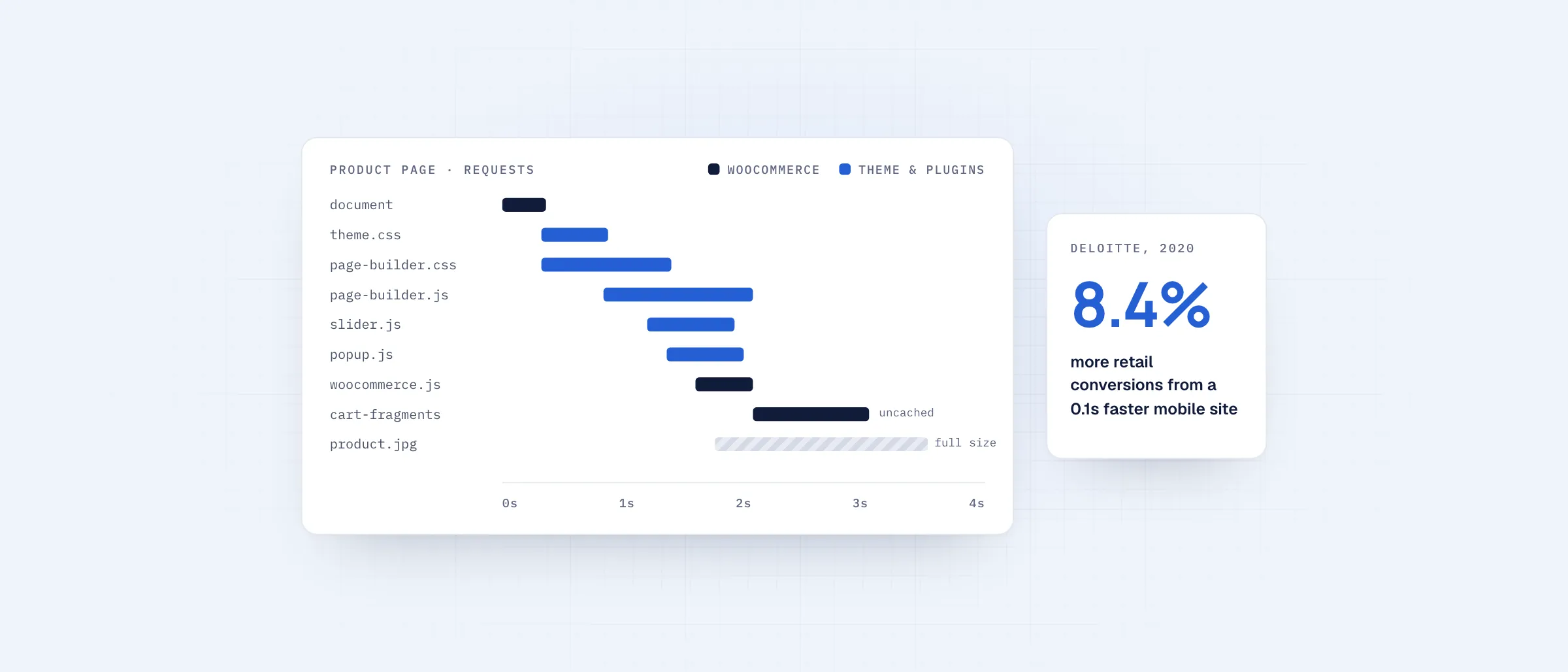
Most slow WooCommerce stores aren’t slow because of WooCommerce itself. They are slow because of what is built on top of it: a heavy theme, a page builder and a dozen plugins, each adding its own scripts and styles to every page.
Speed has a direct effect on revenue. In Deloitte’s 2020 study Milliseconds Make Millions, a 0.1-second improvement in mobile site speed was linked to an 8.4% increase in conversions for retail sites.
01Where the time goes
- Page builders that output large amounts of markup and CSS
- Plugins that load their scripts on every page, even where they aren’t used
- Cart and account fragments that bypass the cache and hit the server on each visit
- Product images uploaded at full size
- Shared hosting that slows down during traffic spikes
02Why optimization plugins hit a ceiling
Caching, minification and image plugins help, and they are worth setting up. But they work around the problem rather than removing it. The theme still runs on every uncached request, and the scripts added by other plugins still load, only compressed or deferred. Many stores end up stacking several optimization plugins that then conflict with each other.
03Removing the problem instead
A headless storefront takes the theme and front-end plugins out of the shopper’s path. Pages are generated ahead of time and served from the edge, and each page sends only the code it needs. Our headless WooCommerce storefronts target a 95+ Google PageSpeed score on product and category pages.
Your WooCommerce backend doesn’t change. Products, orders and payments keep running where they run today, and there is no data migration.
A free audit traces where the time goes and which fixes pay off first.