
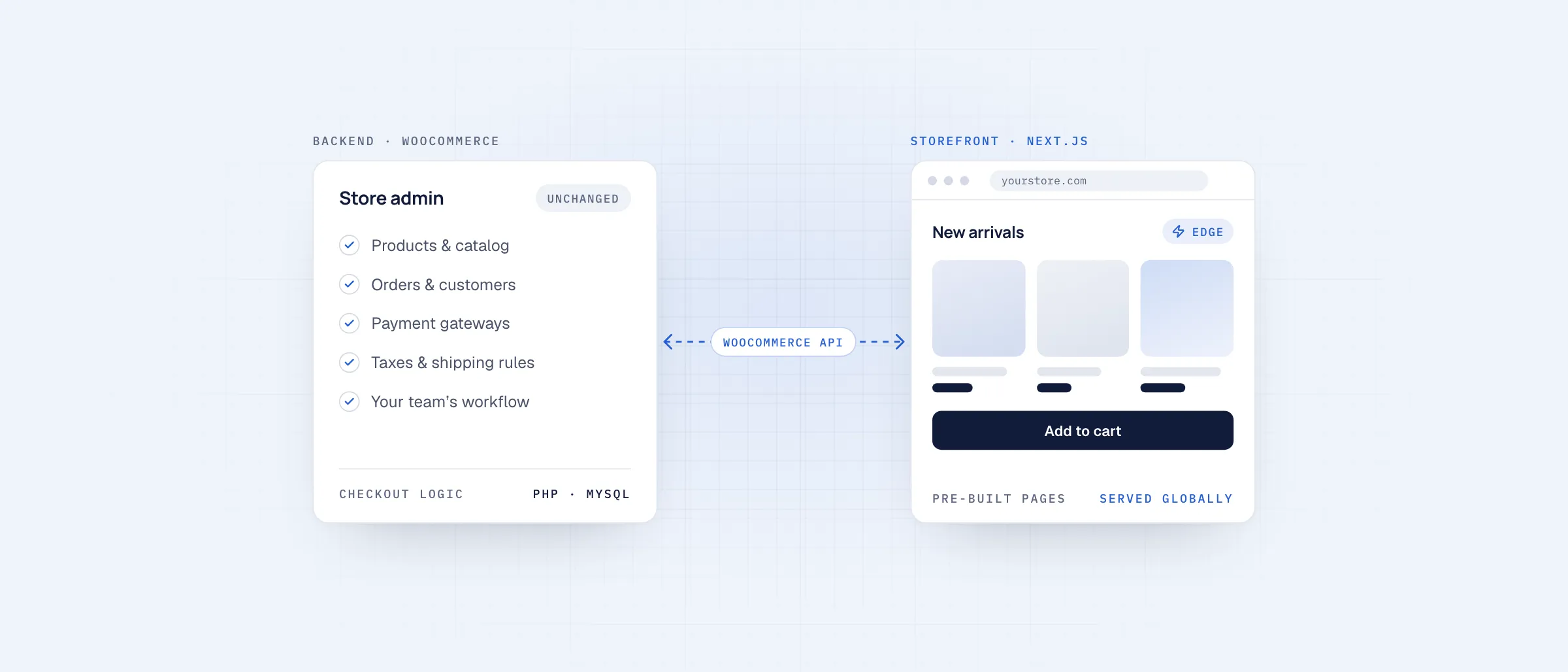
A standard WooCommerce store does two jobs on one server. WordPress stores your products, orders and customers, and the same WordPress theme builds every page a shopper sees. Each visit runs PHP, queries the database and loads whatever scripts your theme and plugins add.
A headless setup splits those jobs. WooCommerce keeps running your catalog, checkout logic, orders and admin. A separate storefront, built with a modern framework such as Next.js, handles everything shoppers see. The two talk to each other through the WooCommerce APIs.
01What stays the same
- Your WooCommerce admin, products, orders and customer accounts
- Your payment gateways, taxes and shipping rules
- Your team’s day-to-day workflow
- Your data. Nothing is exported or moved.
02What changes
Product and category pages are built ahead of time and served from a global edge network, so shoppers no longer wait on your WordPress server. Plugins that only add front-end features, such as sliders, page builders and pop-ups, stop running on your shop pages. That removes most of the scripts that slow a typical theme down.
Shoppers also never reach WordPress directly. Your admin and plugin code are no longer exposed to every visitor on the public site.
03What it doesn’t fix
Headless won’t fix a weak catalog, poor product photos or a confusing checkout flow. It also changes how some plugins behave: anything that outputs front-end content has to be rebuilt in the storefront or replaced. That is why we audit a store’s plugins and integrations before quoting.
04When it’s worth it
- Your store has steady traffic and slow pages are costing you sales
- You rely on many plugins and PageSpeed scores stay low whatever you try
- You want a custom storefront design without leaving WooCommerce
- You sell fashion, beauty, electronics or home & living products, where shoppers browse many pages before buying
If your store is new or gets little traffic, a well-built standard theme is usually enough. Start there and revisit headless when speed becomes a limit.
See how our storefront runs on your WooCommerce backend, with no migration.